
Accesserty Signal
See the public accessibility clues Signal finds beside Google and Bing results, check their sources, and choose a result to open. If you encounter a barrier, you can report the current page to Accesserty.
Works on www.google.com, www.google.com.tw and www.bing.com. Matching happens in your browser; only a report you submit sends page details to Accesserty.
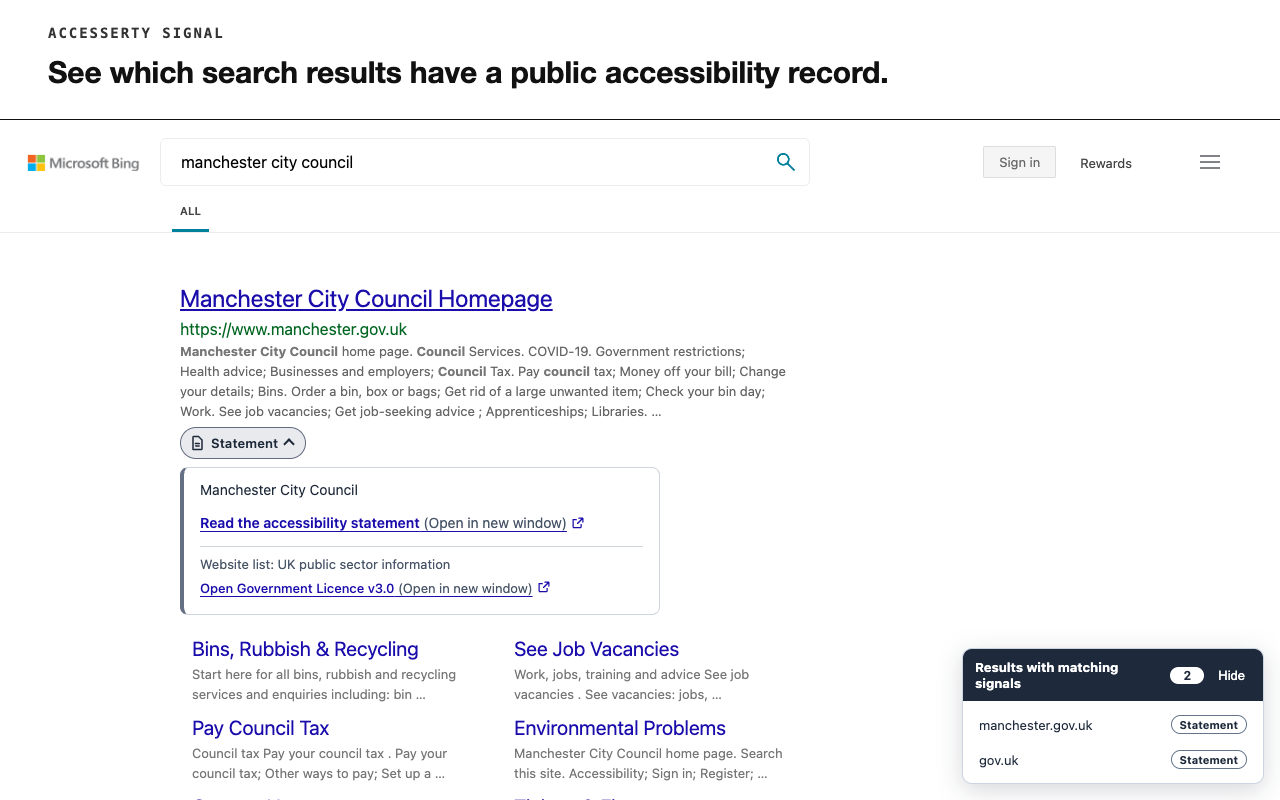
See useful signals before you choose a result
When a result matches a record from an included source, a badge appears beside it. Expand the badge with a keyboard or pointer to check the source and scope, then follow the link to the original record.
A shortlist brings together matched results on the current search page so you can visit them more easily. It is a navigation aid, not a quality ranking.
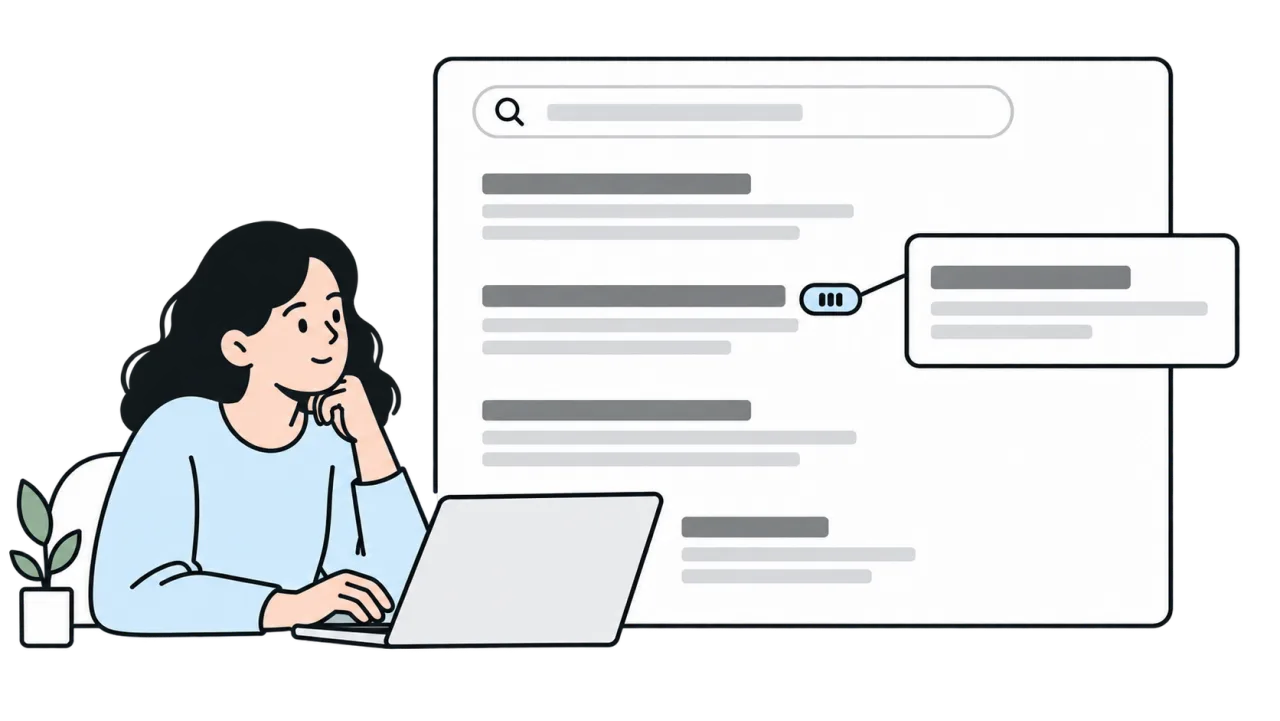
When Signal is useful
Choosing which result to open
Before opening a result, inspect the public clues Signal has matched and check which pages or services the record covers.
Reporting a barrier you experienced
Having trouble signing in or filling out a form? Report the page to Accesserty without having to find the website maintainer first.
How to Use Accesserty Signal
Start with a supported search page. Reporting is optional and happens on the page where you encounter a barrier.
Install Extension
Visit the Chrome Web Store or Firefox Add-ons and install Accesserty Signal for free.
Read the source and scope
Search on www.google.com, www.google.com.tw or www.bing.com. Expand a badge to inspect the matched record and its scope, then read the original source. You can also visit a site from the current page’s shortlist.
Report a Barrier
Open Signal on the page where you encountered a barrier. Choose the issue types, check the page URL, confirm the consent statement, and submit your report to Accesserty. A contact email is optional.
Submitting a report sends page data to Accesserty, including the page URL. Review the details below before sending.
What data is sent, and who handles the report?
Before sending, confirm the consent statement. Your report includes issue types, the page URL’s origin and path (without query parameters or fragments), browser information, public signal context and an optional contact email. Source links in that context may retain parameters identifying their public records. Your report may suggest how you use the web, so please do not include health details. Firefox also asks for data permissions when you submit; declining them prevents submission.
Reports go to Accesserty, not directly to the website. Only a maintainer with current verified domain access can review reports associated with that verification. If no maintainer has verified the domain, the website may not receive your report. Only Accesserty can view your optional contact email. Submission does not guarantee a response or fix; for urgent or official help, use the website’s own contact channel. Removing a domain ends access; verifying it again, even with the same account, does not restore earlier private reports.
What signals does Signal show?
Signal shows traceable public accessibility signals, but it does not present any signal as a full compliance guarantee.
A reading example of three signal types, not records about a particular website or a screenshot of live search results.
ALLY: active maintenance
Accesserty ALLY: the maintainer passed an active-maintenance review and verified the currently maintained domain with Pulse. Continued maintenance is required; it is not a permanent guarantee.
Look for: what the maintenance status means and its ongoing responsibilities. It is not accessibility certification.
Certified / Recognized / Awarded
Certified / Recognized / Awarded: a public certification, recognition, award, or badge record from a government or trusted organization.
Look for: the source, recorded URL or scope, and any available date and level. Levels from different records are not directly comparable.
Accessibility statement
Accessibility Statement: a public accessibility statement published by the website.
Look for: covered services, known limitations and contact options. A published statement does not establish that a full assessment was completed.
Beside a search result, ALLY can appear with public records or a statement. When certification, recognition or award records are available, Signal shows them rather than a separate statement badge. Badges expand to reveal information; they do not change search ranking.
Signal includes only some public sources. A missing badge does not establish that a site has no public record or that it is inaccessible; loading or unavailable data can also prevent a result from appearing.
Private reports do not become public badges, and Pulse scan summaries are not shown to other visitors.
Read the guide to public accessibility signals
How to read an accessibility statement
Accessibility statement example: what to include before publishing
What an accessibility reporting channel should include
How to respond to accessibility reports
How can maintainers review reports?
Verify the domain you maintain with Pulse, then review reports associated with your current verification in Console.
Frequently asked questions
Accesserty Signal is a browser extension that shows traceable accessibility signals beside Google and Bing results, including website accessibility statements, public accessibility certification, recognition, award, or badge records, and Accesserty ALLY active-maintenance records.
It is completely free on the Chrome Web Store and Firefox Add-ons, and works on Chrome, Edge, and Firefox.
Signal matches website accessibility statements, public accessibility certification, recognition, award, or badge records from supported sources, and approved Accesserty ALLY records whose maintainers currently have a verified domain in Pulse. ALLY represents an ongoing maintenance commitment and report-handling workflow, not an accessibility certification, and the status may be revoked when maintenance does not continue. These signals do not guarantee that an entire site or every page is accessible.
No. Signal includes only some public sources. A completed lookup with no match means no available supported record was matched, not that the site has no public record or accessibility work. Loading, partially available sources or an unavailable lookup are not a complete no-match result.
Signal downloads public indexes and matches them locally in your browser, without sending search-result URLs or browsing activity in the background. Only a report you consent to and submit sends issue types, the page URL, browser information, public signal context and an optional email to Accesserty. The main page URL retains its origin and path, without query parameters or fragments; source links in the context may retain parameters identifying their public records. The server separately keeps request counters to limit repeated submissions; see the Privacy Policy for retention and infrastructure-log details.
The popup describes the current browser tab, and a report concerns that same page. On a search page it does not select one of the search results for you. Expand a result’s badge to inspect its source; if you encounter a barrier after visiting the site, open Signal there and check the report URL before submitting.
Yes. After you confirm the consent statement and submit, Signal sends issue types, the current page URL, browser information, public signal context and an optional contact email to Accesserty. A maintainer who has currently verified the domain can review report content from that verification period in Console, but cannot see your contact email, which only Accesserty can view. If no maintainer has verified the domain, reports may not be made available to a website maintainer. Signal reports are not formal legal complaints or official support requests to the website owner, and they do not guarantee a response or resolution.